
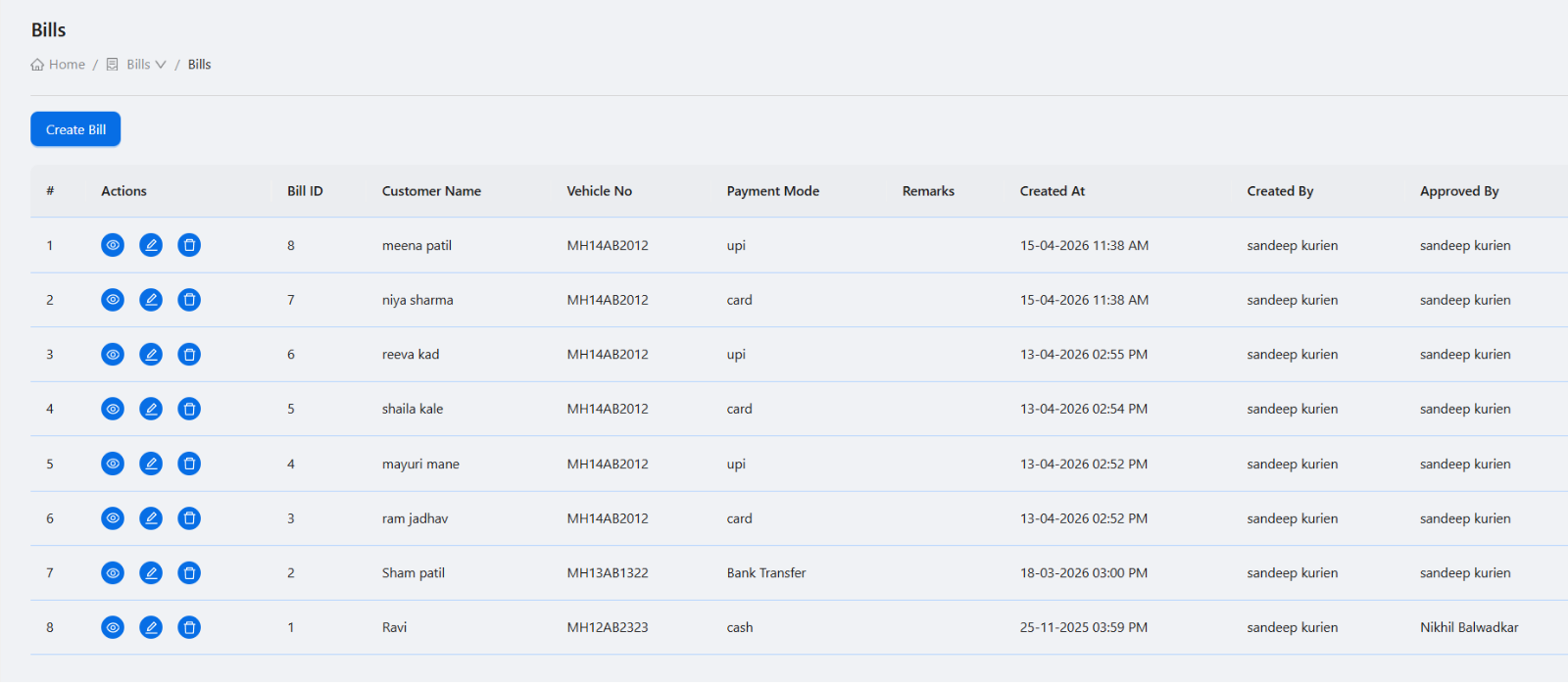
Separate bills, invoices, and vouchers clearly
Different pumps use different terms in daily work, but the system should keep records clear. Bills may be used for product or sale records, invoices for customer settlement, and vouchers for internal or approval-based entries.
Generate invoices from real transactions
Invoice generation becomes stronger when it uses existing coupon or customer transaction records. This reduces missed entries and avoids rebuilding a customer bill manually.
Track payments against invoices
Owners need to know which invoices are paid, partly paid, or pending. Payment entries should include amount, date, method, and the ability to correct mistakes through controlled deletion or reversal.
Make sharing easy
Mobile invoice sharing is useful when customers ask for copies quickly. Software should support PDF generation, email, and mobile sharing without requiring staff to export and send files manually from a desktop.
- Invoice detail screen with customer and line item data.
- Payment history and outstanding balance.
- PDF download or signed URL flow.
- Mobile share option.
- Email invoice option where customer email is available.
Billing software checklist
How Petrodweep supports billing
- Petrodweep supports bills, vouchers, invoices, customer coupons, payment records, invoice PDF sharing, and email workflows.
- The mobile app lets users open invoice details, record payments, share PDFs, and navigate to linked coupons.
- Customer and coupon workflows connect with invoice generation to reduce duplicate entry.
Frequently asked questions
Can petrol pump invoices be shared from mobile?
Yes. Petrodweep supports mobile invoice PDF sharing so staff can send invoice copies without depending only on the office computer.
Why link coupons to invoices?
Linked coupons make invoices easier to verify because the invoice is based on actual fuel issuance records.
Can payments be recorded after invoice generation?
Yes. Payment records can be added against invoices so outstanding amounts remain visible.