
How to use this documentation
Use this page as an end-user workflow guide. It explains who should use the page, what setup is needed, what steps to follow, what fields matter, and what to check when something looks wrong.
Who should use it
Before you start
- The user has permission to view or manage agreements.
- The pump knows which customers or users require agreement records.
- Customer profile, vehicle, credit, and billing setup are available where applicable.
Step-by-step workflow
- 1
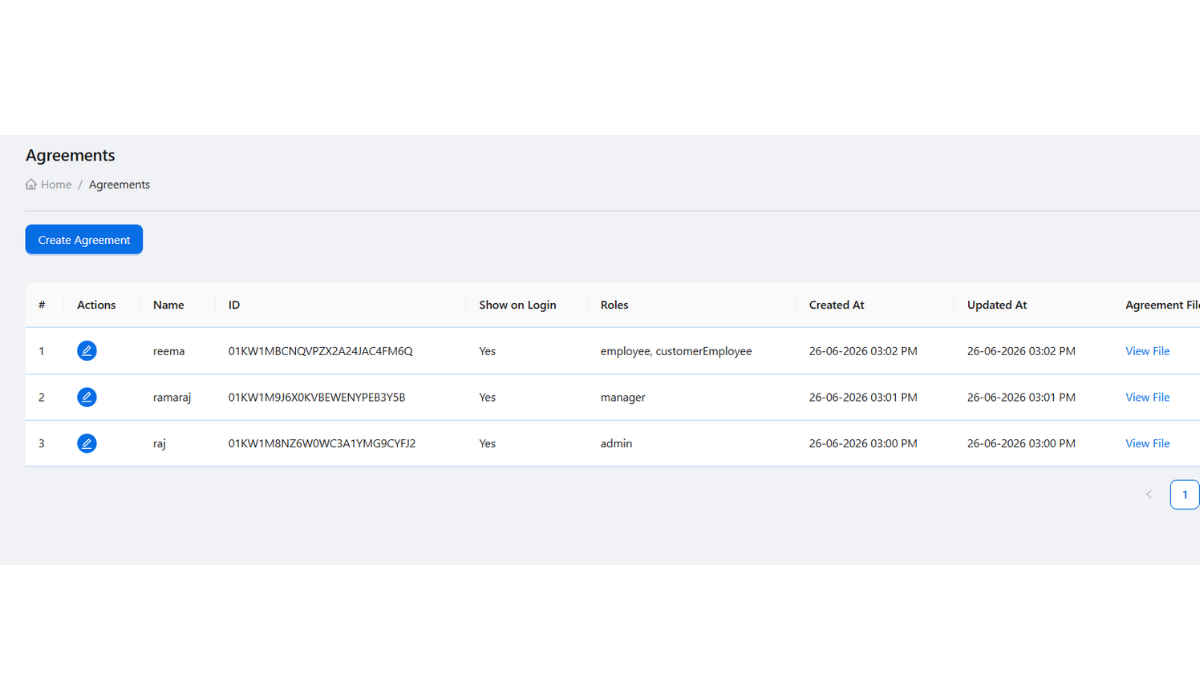
Open the agreements list
Use /agreements to review existing agreement records before creating duplicates.
- 2
Create or edit the agreement
Use the create or edit flow when the pump needs a new agreement or a correction to an existing record.
- 3
Connect agreement review to customer readiness
Review the customer profile, vehicle records, credit limit, billing cycle, and agreement status together.
- 4
Check accepted agreements where needed
When user or customer access depends on acceptance, review accepted agreement records before allowing live workflows.
- 5
Continue to coupon or invoice setup
After agreement readiness is confirmed, proceed with customer coupons, billing, and invoice generation.
Important fields
Agreement record
The formal record or policy item the pump wants to track for a customer or user.
Accepted agreement
A record showing that a user or customer has accepted the agreement where acceptance is required.
Customer readiness
A customer should have profile, vehicle, credit, billing, and agreement context ready before credit use.
Common mistakes
- Creating credit coupons before agreement requirements are checked.
- Treating agreement acceptance as a replacement for role permissions or customer setup.
- Editing agreement records without confirming who relies on the agreement.
Troubleshooting
A customer is ready in profile but not ready for credit use.
Check whether agreement, vehicle, credit limit, and billing-cycle setup are still incomplete.
Accepted agreements do not appear for a user.
Confirm the user accepted the correct agreement and that the admin is viewing the right user or customer context.
Agreement changes are confusing users.
Communicate changes before relying on the updated agreement in coupon, billing, or access workflows.
Related documentation
Web dashboard docs
Mobile app equivalents
- Mobile customer onboarding context
- Mobile coupon access after customer setup
Screenshot note
- Uses an existing customer-management image until a dedicated agreements screenshot is added.
Use agreements before credit workflows
When the pump requires written terms, customer approval, or policy acceptance, create or review the agreement before issuing coupons or generating invoices for that customer.
Keep agreement records tied to customer readiness
Agreement records should be reviewed with customer profile fields, vehicles, credit limits, billing cycle, and user status. A customer should not be treated as ready only because the profile exists.
Review accepted agreements for users
Admins can review accepted agreements when checking user or customer access. This is useful when agreement acceptance is part of the pump's onboarding process.
Update agreements carefully
If agreement terms change, authorized users should update the agreement record and communicate the change to affected users or customers before relying on it operationally.
Customer agreement checklist
How Petrodweep supports agreement records
- Petrodweep provides agreement pages for keeping agreement records alongside customer and access workflows.
- Accepted agreement visibility helps admins review onboarding readiness.
- Agreement records connect naturally with customer, vehicle, coupon, and invoice preparation.
Frequently asked questions
Are customer agreements required for every customer?
Not always. Use agreements when the pump requires formal terms, onboarding records, or policy acceptance for a customer or user.
Where are agreement records managed?
Agreement records are managed from the web dashboard agreement area, depending on the user's permissions.
Should coupons be issued before agreement review?
If your pump requires customer agreement approval, review the agreement before issuing credit coupons or invoices.