
How to use this documentation
Use this page as an end-user workflow guide. It explains who should use the page, what setup is needed, what steps to follow, what fields matter, and what to check when something looks wrong.
Who should use it
Before you start
- You have owner or admin access to settings pages.
- Fuel products, tanks, nozzles, card machines, shift timings, and tanker details are known.
- You know which nozzles connect to which tanks.
- You are setting up master data before live shift entries begin.
Step-by-step workflow
- 1
Add fuel types
Create fuel type records first because tanks, nozzles, prices, coupons, fuel purchase, DSR, and reports depend on them.
- 2
Add tanks and nozzle types
Create tank records with fuel type and capacity, then prepare the tank/nozzle grouping used by the pump.
- 3
Add nozzles
Create each nozzle with a clear name or number and link it to the correct tank.
- 4
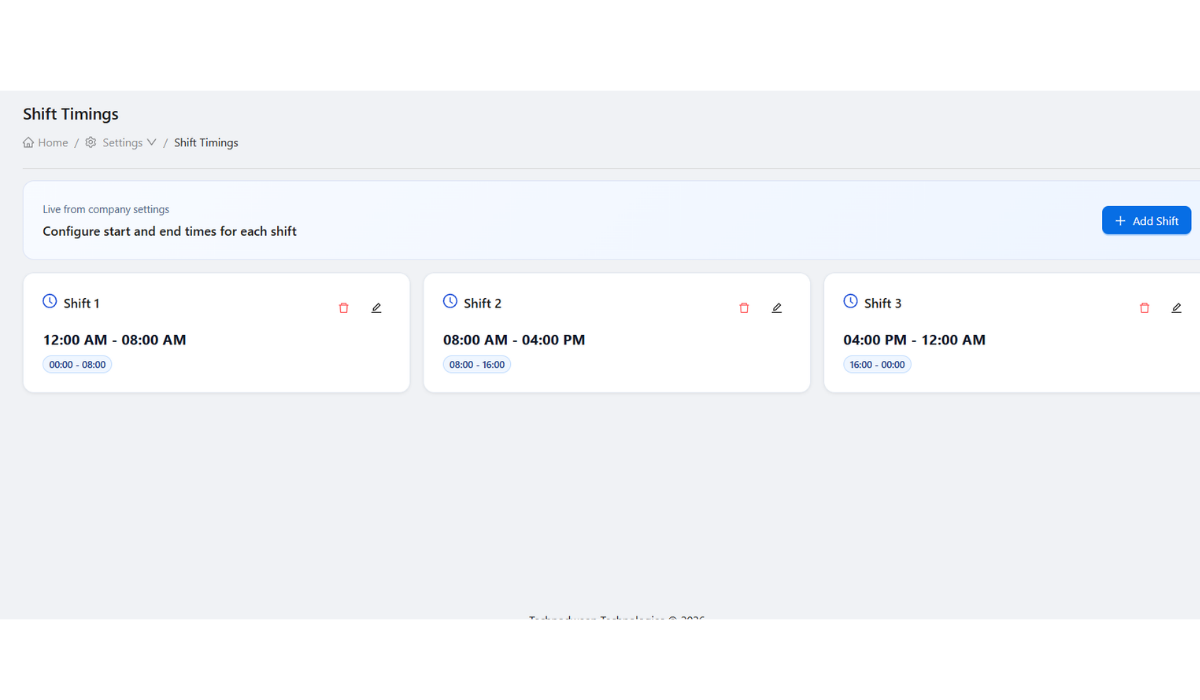
Add card machines and shift timings
Add card machines used during shift settlement and define shift timings used by staff.
- 5
Add tankers where needed
Create tanker records when fuel purchase, tanker delivery, or density workflows will be used.
Important fields
Fuel type
The product category used across sales, tanks, coupons, DSR, and reports.
Tank
The storage source that should be linked to fuel type and related nozzles.
Nozzle
The dispensing point used during shifts and readings.
Card machine
The settlement device used to reconcile card sales.
Shift timing
The time grouping used for employee check-in and daily review.
Tanker
The delivery vehicle context used in fuel purchase and density records.
Common mistakes
- Creating nozzles before confirming tank linkage.
- Using unclear or duplicate names for fuel types, tanks, or nozzles.
- Skipping card machine setup and then struggling to reconcile card sales.
- Starting live shifts before shift timings are defined.
- Adding tanker purchase records before tanker master data is ready.
Troubleshooting
A nozzle cannot be assigned during shift check-in.
Check that the nozzle exists, is linked to the correct tank, and is available for the pump.
DSR or reports show wrong fuel context.
Review fuel type, tank, and nozzle setup before editing report values.
Card settlement is hard to check.
Confirm card machines were added and assigned correctly during shift workflows.
Related documentation
Web dashboard docs
Mobile app equivalents
- Mobile shift check-in depends on web setup
- Mobile fuel purchase and density workflows use tanker setup
Screenshot note
- Uses the existing tanks screenshot. Related static assets also exist for nozzles, card machines, and tanker management.
Set up fuel types first
Fuel types define what the pump sells and are used by tanks, nozzles, prices, coupons, fuel purchase, DSR, and reports. Keep names clear and avoid duplicate fuel-type records.
Create tanks and connect nozzles
Tank setup stores capacity and fuel context. Nozzle setup should point to the correct tank so readings and sales can be reviewed against the right stock source.
- Create tanks with the correct fuel type and capacity.
- Create nozzles with clear names or numbers.
- Link each nozzle to the tank it draws from.
- Review nozzle setup before the first shift starts.
Add card machines and shift timings
Card machines help managers reconcile card sales during shift settlement. Shift timings define how employee work and daily review are grouped.
Add tankers when fuel purchase workflows are used
Tanker records are useful when the pump tracks repeated tanker deliveries, fuel purchases, density checks, and unloading records. Add tankers before linking them to purchase or density workflows.
Master data setup checklist
How Petrodweep uses master data
- Petrodweep reuses master data across shifts, readings, DSR, fuel purchase, density, coupons, invoices, and reports.
- Correct tank and nozzle linking improves fuel sales and stock review.
- Card machine and shift timing setup supports cleaner shift settlement.
Frequently asked questions
What should be created first: tank or nozzle?
Create fuel types and tanks first, then create nozzles and link each nozzle to the correct tank.
Why are card machines part of setup?
Card machines are used during shift settlement to compare card sale records with employee and shift activity.
Do all pumps need tanker setup?
Tanker setup is most useful when the pump tracks fuel purchase, tanker deliveries, and density records in Petrodweep.