
How to use this documentation
Use this page as an end-user workflow guide. It explains who should use the page, what setup is needed, what steps to follow, what fields matter, and what to check when something looks wrong.
Who should use it
Before you start
- The user is active.
- The user has check-in or attendance permission for the action they need.
- Shift timings and employee records are configured.
Step-by-step workflow
- 1
Use self check-in from Home
When eligible, the Home screen shows Check In for employees, managers, auditors, and tanker employees who are not already checked in.
- 2
Use shift check-in for managed entries
Managers and admins can add employee check-ins from the shift check-in workflow when their role allows check-in for others.
- 3
Check out after approval
Employees can check out after approval. The app confirms that further changes will no longer be available after checkout.
- 4
Record tanker readings
Tanker employees enter tanker start and end readings, and can update previous pending end readings where needed.
- 5
Review attendance report and calendar
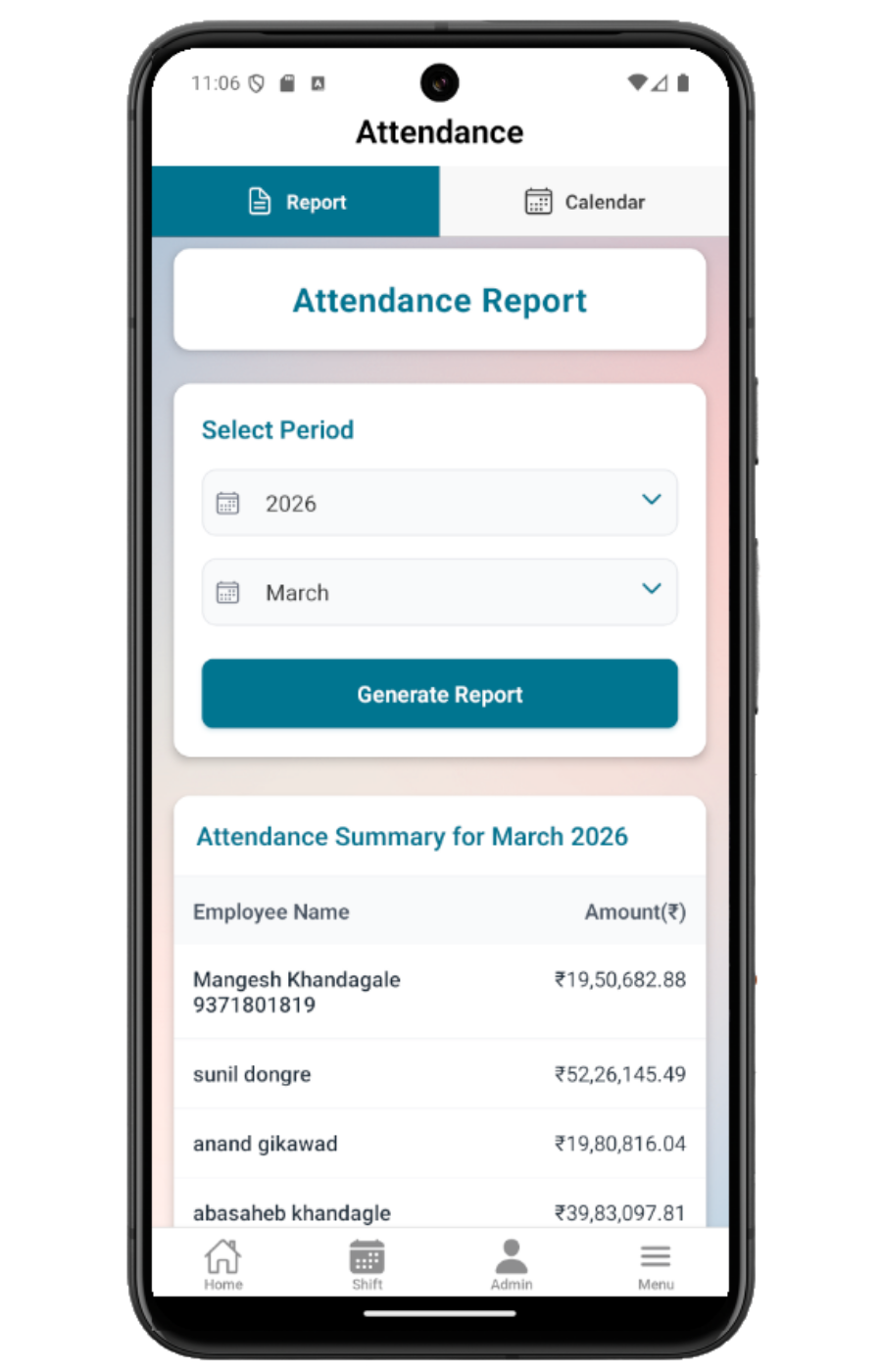
Use Attendance Report for monthly summary and Attendance Calendar for present days, shift numbers, amount, or tanker kilometres.
Important fields
Self check-in
Home action that sends the user into the current active shift where possible.
Checkout
Ends the user's shift access after the check-in is approved.
Tanker readings
Start and end readings used by tanker employee check-in.
Attendance Calendar
Month view showing present days and shift details.
Attendance Report
Monthly employee summary showing sales amount or tanker kilometres.
Common mistakes
- Trying to check in while already checked in.
- Not completing previous tanker end reading before starting a new check-in.
- Expecting all-employee attendance access when the role only has own-attendance permission.
- Checking out before the shift data has been reviewed.
Troubleshooting
Home Check In is missing.
Check active status, current check-in state, previous checkout state, and check-in permissions.
Attendance calendar says access denied.
The user needs own-attendance or all-attendance report permission.
Tanker employee totals show KM.
That is expected because tanker employee attendance tracks kilometres instead of sales amount.
Related documentation
Web dashboard docs
Mobile app equivalents
- Mobile Shift Check-In
- Mobile Current Shift
- Mobile Reports
Screenshot note
- Uses mobileApp14 from the existing static mobile screenshot set.
Use Home for self check-in
Employees, managers, auditors, and tanker employees can see a Check In card on Home when they are active and not already checked in. The app detects the current active shift when possible.
Use manager or admin check-in for other users
Managers and admins with permission can add employee check-ins from the shift check-in workflow, select an employee, and assign nozzle or card machine work.
Check out after approval
Employees can check out after their shift check-in is approved. The app warns that shift data will no longer be available for further changes after checkout.
Handle tanker employee readings
Tanker employees use the tanker check-in modal to enter start and end readings. If a previous shift is missing an end reading, the app shows that pending context for correction.
Review attendance report and calendar
Attendance has Report and Calendar tabs. The report summarizes employee amount or tanker kilometres by month, while the calendar shows present days, shift number, and amount or kilometres.
Attendance checklist
How Petrodweep supports mobile attendance
- Petrodweep connects operational check-in, checkout, and attendance review instead of documenting them as disconnected features.
- Attendance report and calendar stay together as one useful end-user guide.
- Tanker employee kilometres are explained inside attendance because the mobile app treats them as role-specific attendance output.
Frequently asked questions
Why do I not see the Check In button on Home?
You may already be checked in, inactive, missing permission, or have a previous check-in that still needs checkout or tanker end reading.
Why can I only see my own attendance?
Your role may have own-attendance permission but not all-attendance permission.
Why does a tanker employee show KM instead of sales amount?
Tanker employee attendance uses kilometre totals where the role's work is measured by tanker movement.