
How to use this documentation
Use this page as an end-user workflow guide. It explains who should use the page, what setup is needed, what steps to follow, what fields matter, and what to check when something looks wrong.
Who should use it
Before you start
- The manager has entered or reviewed shift and daily closing data.
- Daily operations and DSR are available for the selected date.
- The owner or auditor has permission to view dashboard, reports, invoices, customers, and operational records as needed.
Step-by-step workflow
- 1
Start with dashboard signals
Review dashboard cards for sales, cash, staff, nozzles, coupons, invoices, and fuel prices, then open the source page for anything unusual.
- 2
Open daily operations
Check day-level nozzles, employees, card sales, coupons, invoices, expenses, product sales, total sale, and cash in hand.
- 3
Open current shift if a shift needs detail
Use current shift review when the owner needs employee-level or nozzle-level explanation for a date and shift.
- 4
Review DSR and variation
Use DSR to check tank-wise opening stock, receipt, meter sales, testing, density, net sales, and variation.
- 5
Follow up billing and customer items
Open customers, coupons, invoices, and reports when outstanding balances or credit activity need review.
Important fields
Dashboard snapshot
Useful for direction, but owners should open source records before making corrections.
Daily operations
The fastest date-wise view of operational settlement.
DSR
The tank-wise stock and variation review point.
Follow-up reports
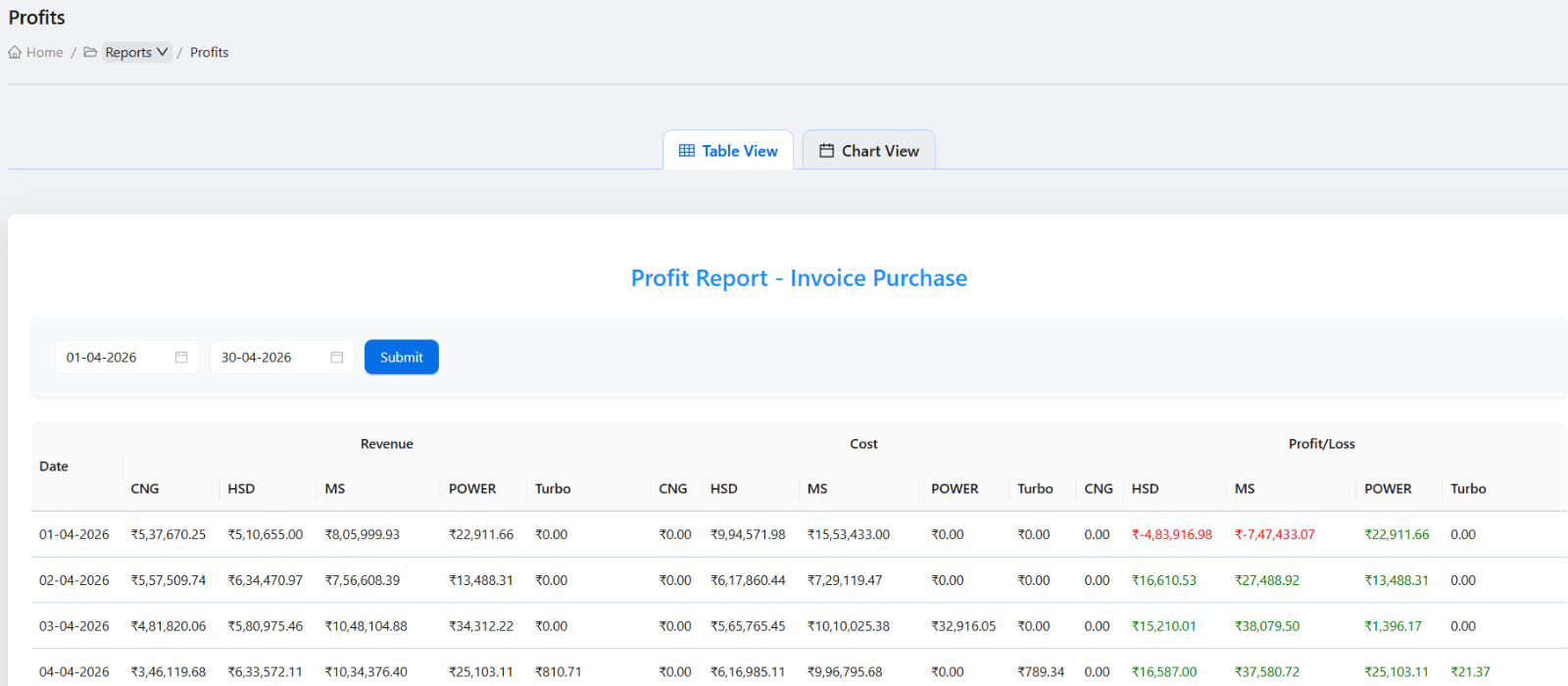
Customer, invoice, coupon, attendance, fuel, and profit reports help owners investigate beyond the daily summary.
Common mistakes
- Reviewing only dashboard cards and skipping source records.
- Checking DSR variation without reviewing shift readings and fuel purchase context.
- Ignoring credit customer invoices and coupons during daily review.
- Waiting until month end to investigate daily cash or stock mismatches.
Troubleshooting
A dashboard number looks wrong.
Open the related daily operations, current shift, invoice, coupon, or report page before changing data.
Owner and manager totals do not agree.
Confirm both users are reviewing the same date, shift, filters, and source records.
A daily mismatch repeats often.
Review the underlying workflow: check-in, readings, card machines, coupons, expenses, products, DSR, and fuel purchase records.
Related documentation
Web dashboard docs
Mobile app equivalents
- Mobile owner dashboard
- Mobile reports overview
- Mobile invoice and coupon review
Screenshot note
- Uses the existing reports image. Related dashboard, daily operations, and DSR screenshots are already available.
Start with dashboard signals
Review dashboard cards for sales, cash, staff, nozzles, coupons, invoices, and fuel prices. Treat unusual values as follow-up signals and open the related workflow before making decisions.
Review the manager's daily closing
Open current shift and daily operations to confirm employee responsibility, nozzles, card sales, coupons, invoices, expenses, product sales, cash in hand, and total sale for the date.
Check DSR and stock variation
Use Daily Sales Entry for tank-wise review of opening stock, receipt, meter sales, pump testing, rate, density, net sales, and variation. Unusual variation should be investigated with shift and fuel purchase records.
Follow up customer and billing items
After daily operations are reviewed, check credit customer activity, coupon status, generated invoices, pending payments, and customer outstanding where relevant.
Owner daily review checklist
How Petrodweep helps owners review daily work
- Petrodweep lets owners move from a dashboard snapshot into the exact operational page behind a number.
- Daily operations and DSR help separate settlement review from tank-wise stock review.
- Customer, coupon, invoice, and report workflows make follow-up work easier after the daily closing is complete.
Frequently asked questions
Should owners review only the dashboard?
No. The dashboard is a starting point. Owners should open daily operations, current shift, DSR, and related reports when a number needs verification.
What should owners check every day?
Owners should check sales, cash in hand, card sales, coupons, invoices, expenses, product sales, DSR variation, and customer billing follow-up.
Can auditors use the same workflow?
Yes. Auditors can use the same review path if their role has permission to view the relevant reports and operational records.